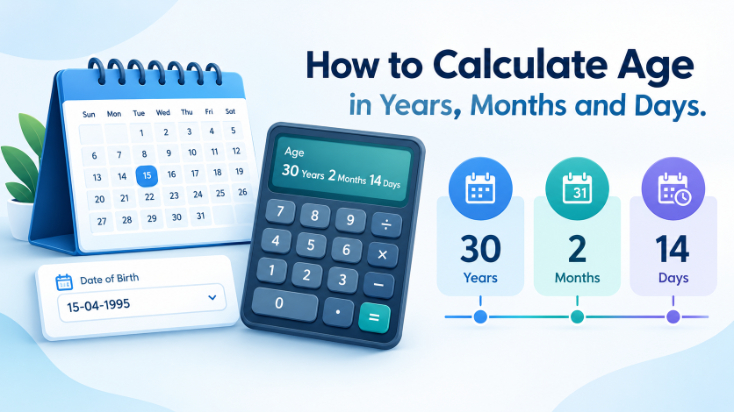
How to Calculate Age in Years, Months and Days
Knowing your age in years is easy, but what if someone asks for your age in years, months, and days? Suddenly, the calculation becomes a little more complicated.
You may know that you are 25 years old, but you might not know whether your exact age is 25 years, 4 months, and 10 days or 25 years, 6 months, and 3 days.
The difference matters when a form requests detailed age information or when you want to calculate your age on a specific date.
Fortunately, you can work out your age using a calendar and a few simple calculations. You do not need complicated mathematical formulas or advanced technical knowledge.
This guide explains how to calculate age in years, months and days using your date of birth. You'll learn the manual calculation method, understand how to handle different month lengths, and explore examples that make the process easier to follow.
What Does Age in Years, Months and Days Mean?
Age represents the amount of time that has passed since a person's birth.
When someone says they are 28 years old, they usually mean they have completed 28 full years.
However, their next birthday may still be several months away.
A more detailed age calculation includes the additional months and days that have passed since their most recent birthday.
For example:
Age: 28 years, 5 months, and 12 days
This means the person has completed 28 full years, followed by another five complete calendar months and twelve days.
Expressing age this way gives a more detailed picture than using years alone.
What Information Do You Need to Calculate Age?
Before calculating your age, you need two complete calendar dates.
The first is your date of birth.
The second is the date on which you want to determine your age, commonly called the reference date.
For example:
Date of birth: 15 March 2000
Reference date: 26 October 2026
The calculation compares these two dates to determine how many complete years, months, and additional days have passed.
You can use today's date or select another date depending on your purpose.
Make sure both dates are correct before beginning.
How to Calculate Age in Years, Months and Days Manually
The easiest way to understand manual age calculation is to divide the process into three parts.
First, find the completed years. Next, count the complete months remaining after the last birthday. Finally, calculate the additional days.
Step 1: Calculate the Completed Years
Start by subtracting the birth year from the reference year.
Using our example:
2026 − 2000 = 26 years
Now check whether the birthday has already occurred during the reference year.
The person was born on March 15, and the reference date is October 26.
Because March 15 has already passed, the person has completed 26 years.
If the birthday had not yet occurred, you would subtract one year from the result.
Step 2: Calculate the Remaining Months
After finding the completed years, identify the most recent birthday.
In this example, the last birthday occurred on March 15, 2026.
Now count complete calendar months from that date.
From March 15 to October 15, seven complete months have passed.
Therefore:
Remaining months = 7
Step 3: Calculate the Remaining Days
The last completed monthly anniversary was October 15, 2026.
The reference date is October 26, 2026.
Subtract the days:
26 − 15 = 11 days
Final Result
Combining the three values gives:
26 years, 7 months, and 11 days
This anniversary-based method provides a straightforward way to calculate calendar age when the same day exists in each relevant month.
How to Calculate Age When the Birth Day Is Greater Than the Current Day
Some calculations require extra care because the reference day is smaller than the birth day.
Suppose someone was born on:
20 July 1995
And the reference date is:
11 October 2026
The person has already celebrated their birthday in 2026, so they have completed 31 years.
Now count the additional complete months.
From July 20 to September 20, two months have passed.
The next monthly anniversary would be October 20, but the reference date is October 11.
Therefore, the additional complete months remain two.
Next, calculate the days between September 20 and October 11.
September contains 30 days.
Days remaining in September after September 20:
30 − 20 = 10 days
Add the first eleven days of October:
10 + 11 = 21 days
The final age is:
31 years, 2 months, and 21 days
This example shows why comparing actual calendar dates is more dependable than simply subtracting the day numbers.
Simple Age Calculation Formula
For completed years, you can use the following formula:
Age in completed years = Reference year − Birth year
If the birthday has not occurred by the reference date, subtract one.
For additional months and days, count forward from the most recent birthday using calendar anniversaries.
A useful way to remember the complete process is:
Exact calendar age = Completed years + Completed additional months + Remaining days
Unlike ordinary subtraction, calculating the month-and-day breakdown requires calendar rules because months have different lengths.
More Examples of Age Calculation
The following examples demonstrate how birth dates affect the result.
| Date of Birth | Reference Date | Calculated Age |
|---|---|---|
| 12 March 2000 | 26 October 2026 | 26 years, 7 months, 14 days |
| 25 December 2002 | 26 October 2026 | 23 years, 10 months, 1 day |
| 10 January 2020 | 26 October 2026 | 6 years, 9 months, 16 days |
| 3 August 2010 | 26 October 2026 | 16 years, 2 months, 23 days |
These examples use completed calendar anniversaries.
They demonstrate that people born in the same year can have different completed ages depending on whether their birthdays have already occurred.
How to Calculate Age When Your Birthday Has Not Arrived
A common mistake is assuming that subtracting the birth year from the current year always produces the correct age.
Consider someone born on December 25, 2002.
Their age is being calculated on October 26, 2026.
Subtracting the years gives:
2026 − 2002 = 24
However, December 25 has not arrived yet.
Therefore, the person has completed only 23 years.
Their last birthday occurred on December 25, 2025.
From December 25, 2025, to October 25, 2026, ten complete calendar months have passed.
One additional day takes us to October 26.
The final result is:
23 years, 10 months, and 1 day
This is why checking the birthday is necessary before finalizing the calculation.
How Do Different Month Lengths Affect Age?
Months do not all contain the same number of days.
January, March, May, July, August, October, and December contain 31 days.
April, June, September, and November contain 30 days.
February contains 28 days in an ordinary year and 29 days in a leap year.
These differences can affect the months-and-days portion of an age calculation.
For example, someone born on January 31 presents a special situation because February does not have a 31st day.
Some calendar systems treat February's final day as the monthly anniversary, while others count only fully completed matching-date months.
Neither convention should be silently assumed for every purpose.
When calculating age near the end of a month, use a clearly defined calendar method, especially if the result is intended for official documentation.
How Leap Years Affect Age Calculation
Leap years contain an additional day in February.
Under the Gregorian calendar, a year is generally a leap year if it is divisible by four.
However, century years must also be divisible by 400.
For example:
2024 was a leap year.
2028 will be a leap year.
2000 was a leap year.
2100 will not be a leap year.
For most birthdays, calculating completed years remains straightforward.
However, leap years become important when determining the total number of days lived.
People born on February 29 require special consideration because their exact birth date does not appear every year.
For legal age requirements, the treatment of February 29 birthdays may depend on local rules.
How to Calculate Your Total Age in Months
Sometimes you may need to express age entirely in months.
A simple calendar-based approach is to multiply completed years by twelve and then add the additional complete months.
For example, suppose someone is:
12 years and 5 complete months old
The calculation becomes:
12 × 12 = 144 months
Now add five:
144 + 5 = 149 complete months
If additional days remain, they do not form another complete month.
This calculation can be useful for age-related records where a person's age must be expressed in completed months.
How to Calculate Total Days Lived
Calculating your total days lived requires a different approach.
You must count the actual calendar days between your birth date and the selected reference date.
Simply multiplying your completed years by 365 will not always give the correct answer.
Leap years add additional days, and partial years must also be included.
For example, the period from January 1, 2024, to January 1, 2025, contains 366 elapsed days because 2024 was a leap year.
A date-difference calculator or spreadsheet can count these days more conveniently than manual calculations.
Remember that elapsed days normally exclude the starting instant and count the completed days between the two dates.
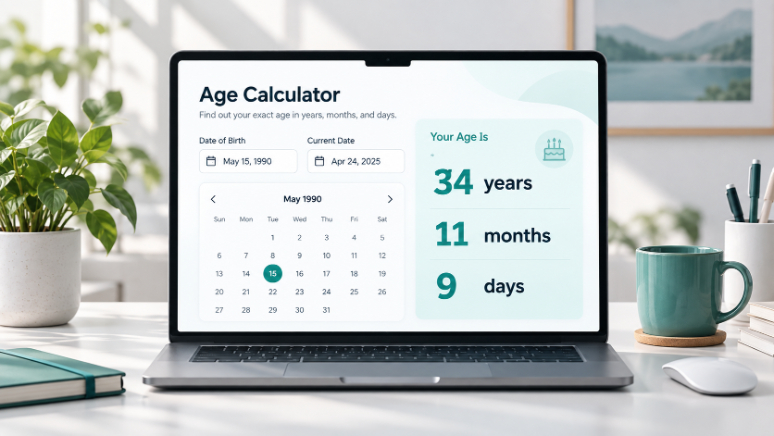
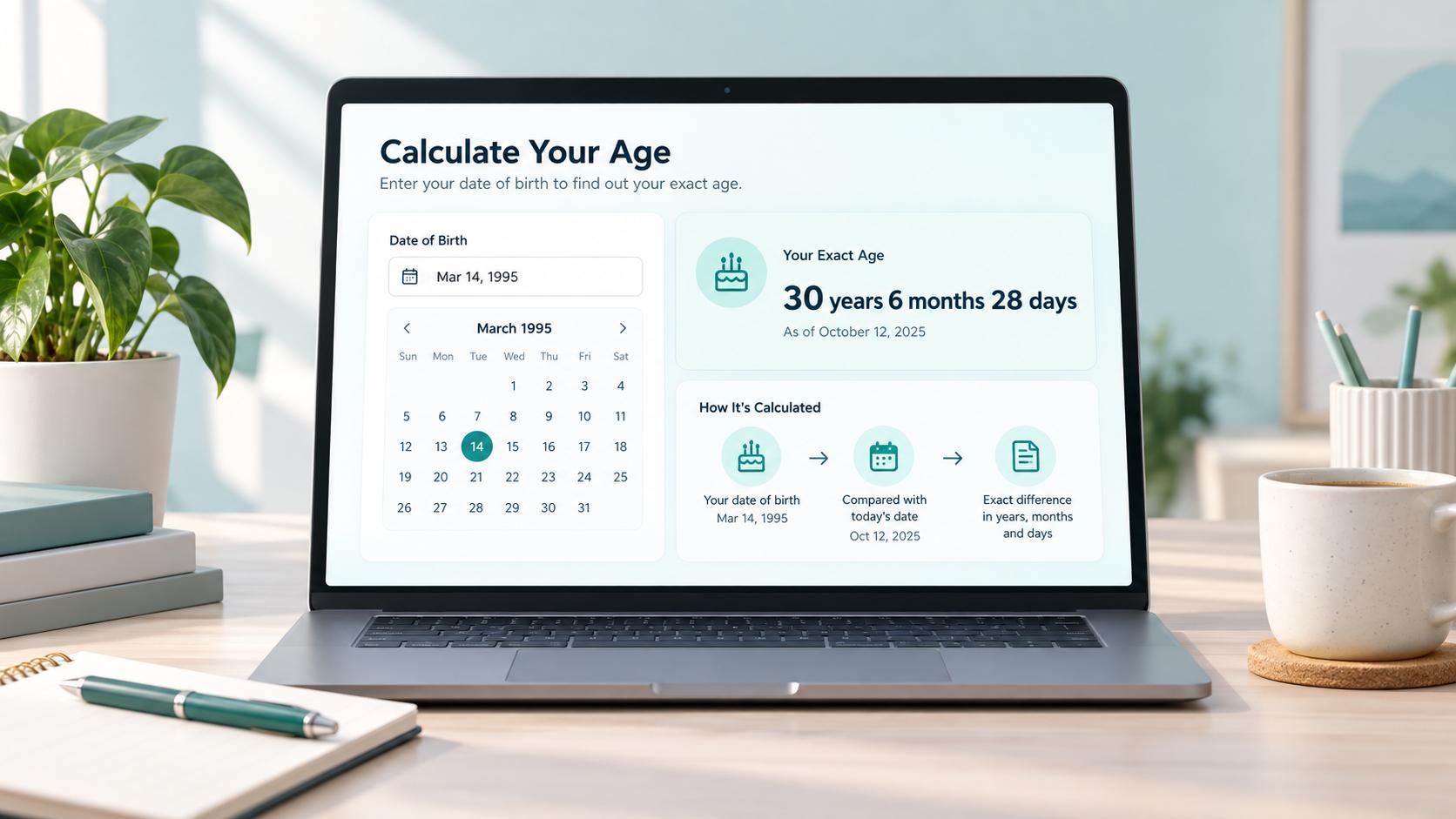
Age Calculator
Calculate your exact age in years, months, and days.
Can You Calculate Age Using Excel or Google Sheets?
Yes. Spreadsheet applications are particularly useful when calculating ages for multiple people.
For example, you may have a list of students and their dates of birth.
Instead of calculating each age manually, you can use a date formula.
If cell A2 contains the date of birth and cell B2 contains the reference date, the following formula calculates completed years in supported versions of Excel and Google Sheets:
=DATEDIF(A2,B2,"Y")
To calculate additional complete months after completed years, use:
=DATEDIF(A2,B2,"YM")
However, month-and-day calculations require care.
In particular, Excel's DATEDIF function has documented limitations with the "MD" argument, so its remaining-day results should not be relied on blindly.
For ordinary age calculations, spreadsheet formulas can save time, but unusual month-end and leap-day cases should be verified.
Why Is Calculating Exact Age Useful?
Knowing your age in years, months, and days can be useful in situations where completed years alone are insufficient.
School Admissions
Educational institutions may use a particular cutoff date to determine eligibility.
Government Applications
Some official procedures request age as of a specific date rather than the day an application is completed.
Sports Registration
Age categories may depend on a participant's age at the beginning of a season or competition.
Personal Milestones
You may want to know your age on a graduation date, wedding anniversary, or another important occasion.
Medical and Developmental Records
For infants and young children, age in months or days may be more informative than age expressed only in years.
In each situation, use the reference date specified for that purpose.
Common Mistakes When Calculating Age
A few avoidable errors can lead to inaccurate results.
Using only the years: Always check whether the birthday has occurred.
Assuming every month has 30 days: Use actual calendar dates for precise calculations.
Confusing date formats: Write the month name when necessary to prevent misunderstandings.
Ignoring leap years: Extra February days can affect total-day calculations.
Using the wrong reference date: Age today may differ from age on an application deadline.
Treating every calculator result as official: Verify the applicable calendar conventions and eligibility rules.
Checking these details can prevent mistakes.
Frequently Asked Questions
How do I calculate my age in years, months, and days?
Compare your complete date of birth with a reference date. Count completed birthday anniversaries, additional complete calendar months, and the remaining days.
What is the easiest way to calculate exact age?
An online age calculator can be the fastest method. Enter the complete birth date and the date for which you want to calculate age.
How can I calculate age without an online calculator?
Use a calendar to count completed years, then additional months and days. Check actual month lengths when calculating the remaining days.
Why is my age sometimes one year less than the year difference?
If your birthday has not occurred during the reference year, you have not yet completed that additional year.
Can I calculate my age on a future date?
Yes. Replace today's date with your chosen future date and apply the same calendar calculation.
Does a leap year affect my exact age?
It can affect the number of elapsed days and certain date calculations. Completed years are still based on birthday anniversaries, subject to special conventions for February 29.
Can two age calculators show different results?
Yes. Some tools use different rules for month-end birthdays, leap-day anniversaries, and remaining-day calculations.
Is age in months the same as total months lived?
When measured using completed calendar months, the two can describe the same quantity. However, partial months and different anniversary conventions can affect how a calculator presents the result.
Final Thoughts
Calculating age in years, months, and days becomes much easier when you understand how complete calendar anniversaries work.
Begin by finding the number of birthdays already completed. Then count the additional complete months and remaining days.
For ordinary dates, this process is straightforward. For unusual situations involving February 29 or the final days of a month, a clearly defined calculation method becomes especially important.
Whether you work manually, use a spreadsheet, or rely on an online age calculator, always check the date of birth and reference date before accepting the result.
An accurate age calculation depends on the complete calendar dates, not simply the difference between two birth-year numbers.